
Security & API Keys
API key management, data handling, account management, and security best practices.
Ossprey takes security seriously — both in what we protect and how we handle your data. This section covers API key management, data handling, and security best practices.
API keys
Generating a key
You can generate an API key from the API Keys section of your Account settings — the API keys item in the account menu (top-right of the top bar) takes you straight there. You can also create one from the terminal with ossprey init. Your API key grants access to submit scans via the CLI and API. Keep it confidential and give it a descriptive name so you can identify it later.
The key is shown once, at creation. Copy it then; Ossprey stores only a hash and cannot show it to you again. You'll also get a confirmation email whenever a key is created on your account, so an unexpected one is visible to you immediately.
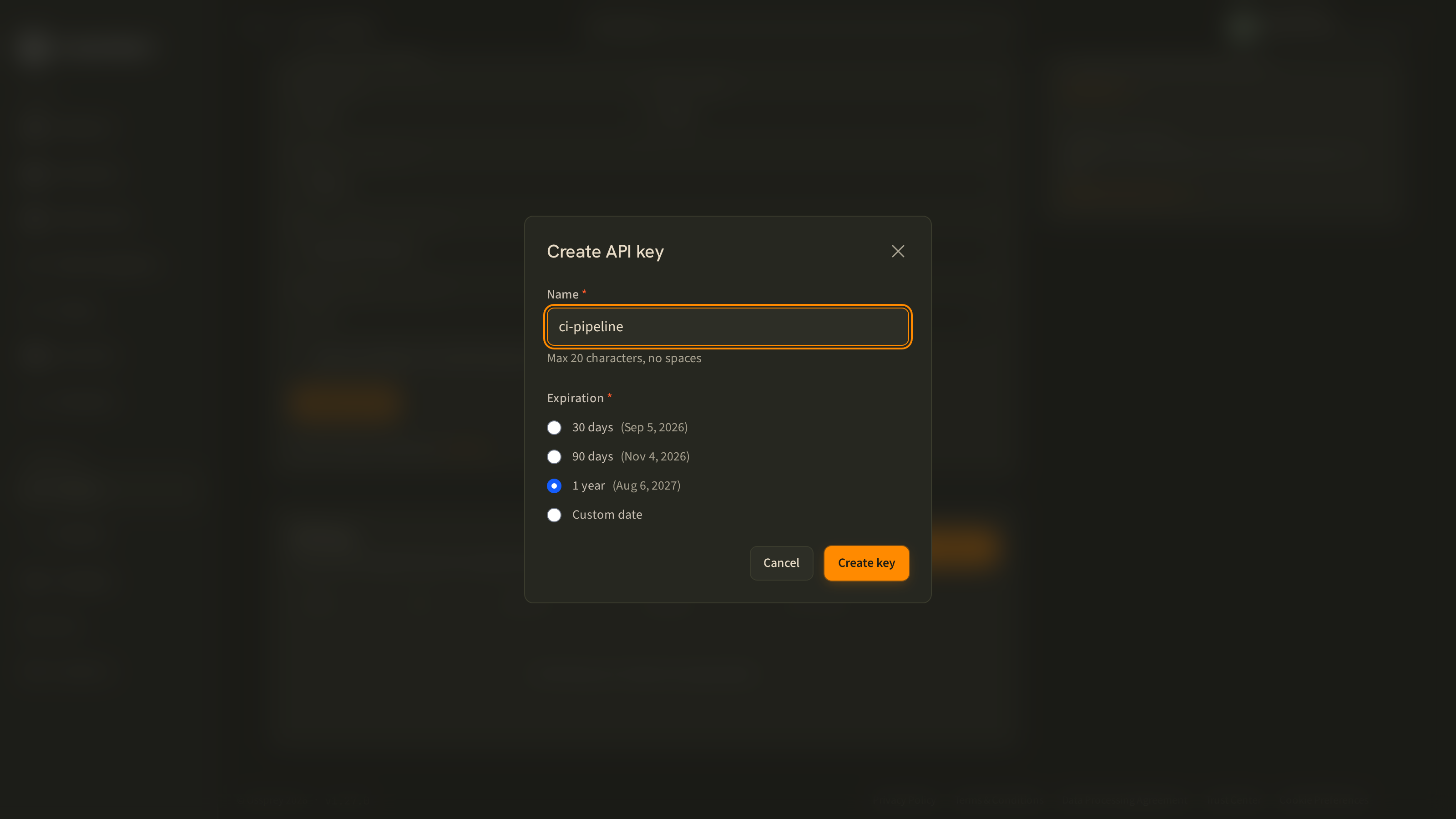
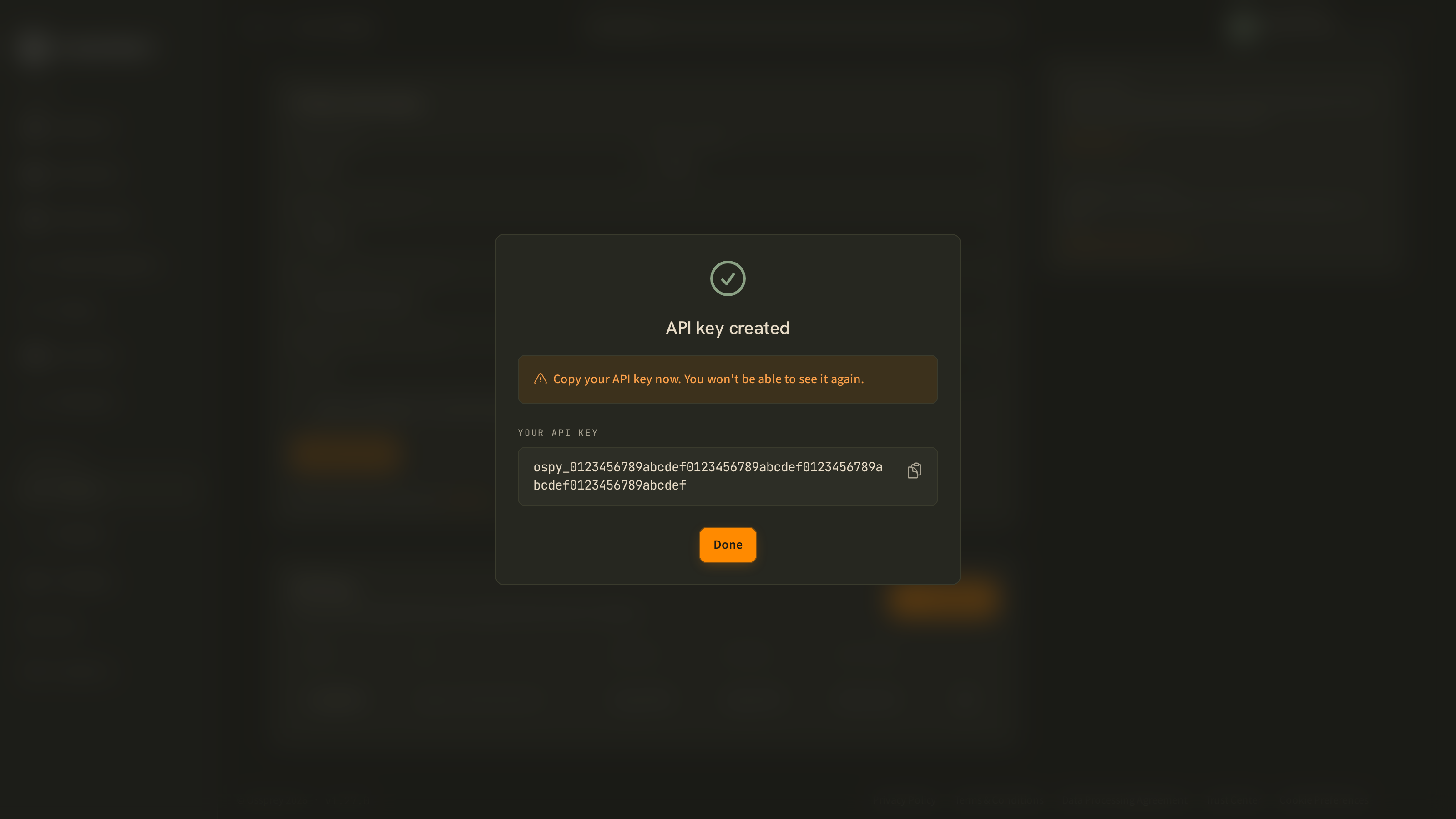
A few limits are worth knowing before you script against this:
| Constraint | Value |
|---|---|
| Key name | Up to 20 characters, no spaces, unique within your account |
| Expiry | Required — you must set one, and it can be at most 2 years out |
| Keys per account | 10 |
| Creation rate limit | 10 keys per 10 minutes |
Rotating and revoking keys
If you suspect a key has been compromised, revoke it immediately from the API Keys section and generate a new one. Active scans using a revoked key will fail, so update your CI/CD secrets and local environment before revoking.
The key table shows each key's remaining lifetime, and reads Expired once it's past its expiry date. Because expiry is mandatory, rotation is something you'll do on a schedule — set a reminder ahead of the date rather than finding out from a failing build.
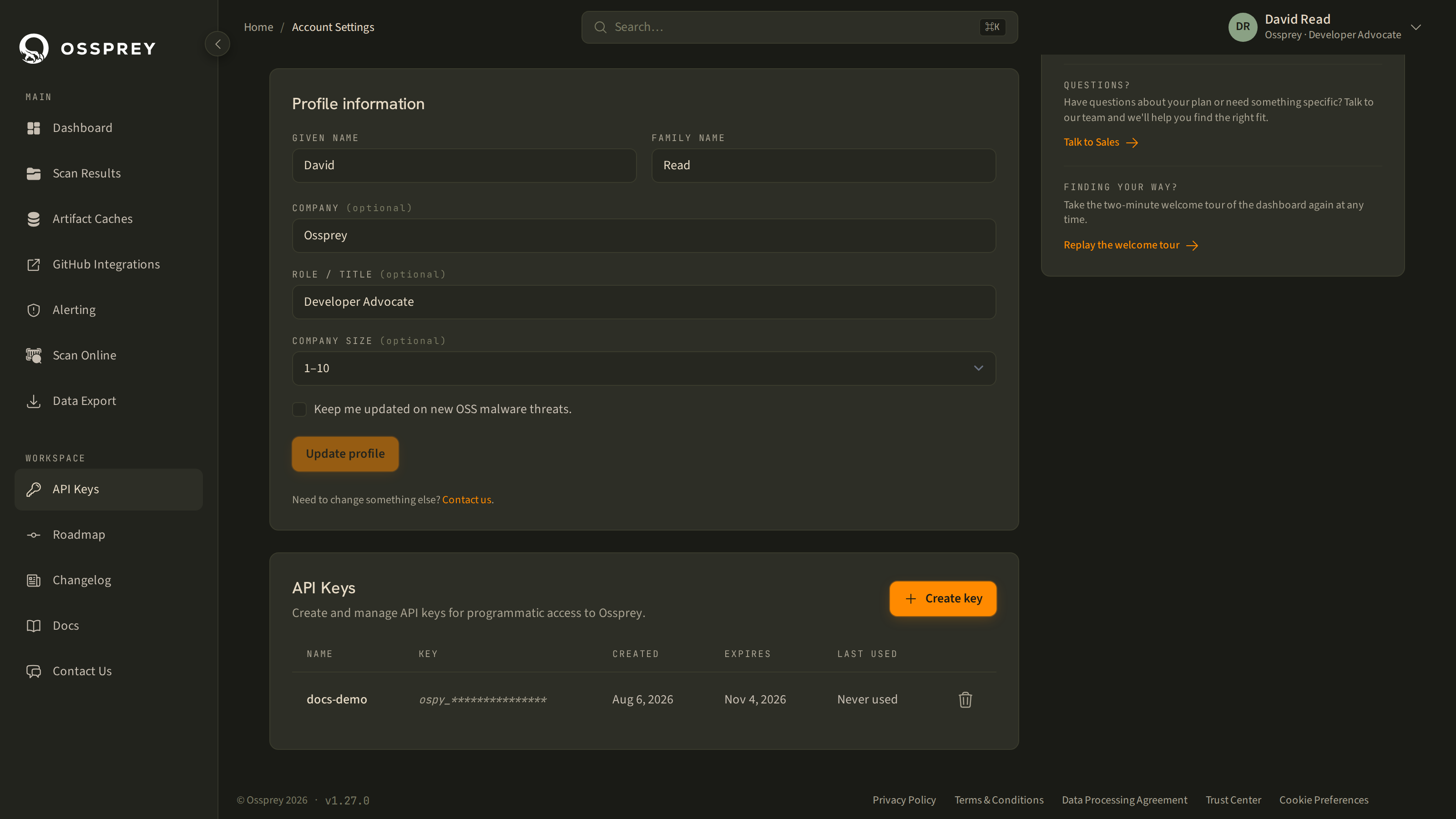
Every create and delete is recorded in an audit trail (timestamp, event, key name, source IP, actor, outcome), which you can download as CSV from Data Export → API Key Audit Log. See Data Export.
Storing keys securely
- Environment variables — set
OSSPREY_API_KEYin your shell or CI/CD environment. This is the recommended approach. - Secrets managers — use GitHub Actions secrets, AWS Secrets Manager, HashiCorp Vault, or your platform's equivalent.
- Never commit keys to source control — don't hard-code keys in workflow files, scripts, or configuration files checked into git.
Secret scanningAll Ossprey API keys start with
ospy_, followed by 64 hex characters. You can use this prefix to set up secret scanning in your repository (e.g. GitHub secret scanning,git-secrets, or pre-commit hooks) to prevent accidental commits. A regex that matches the whole key isospy_[0-9a-f]{64}.
Example for GitHub Actions:
env:
  OSSPREY_API_KEY: ${{ secrets.OSSPREY_API_KEY }}
Example for local use:
export OSSPREY_API_KEY="ospy_..."
ossprey scan ./my-project
API_KEYstill worksThe CLI also accepts a bare
API_KEYenvironment variable as a legacy fallback. PreferOSSPREY_API_KEY— it's unambiguous in an environment that holds more than one service's credentials.
Data handling
Ossprey analyses your package manifest files (e.g. package.json, requirements.txt, poetry.lock) and the dependency tree they describe. We access your repository content to generate SBOMs, but we never store your source code.
The data we process includes package names and versions from your manifests, the generated SBOM (Software Bill of Materials), scan verdicts and malware threat information, and environment metadata (e.g. which CI system triggered the scan).
Scan results are stored securely and associated with your account. All data is encrypted in transit (TLS) and at rest.
Account management
Profile information
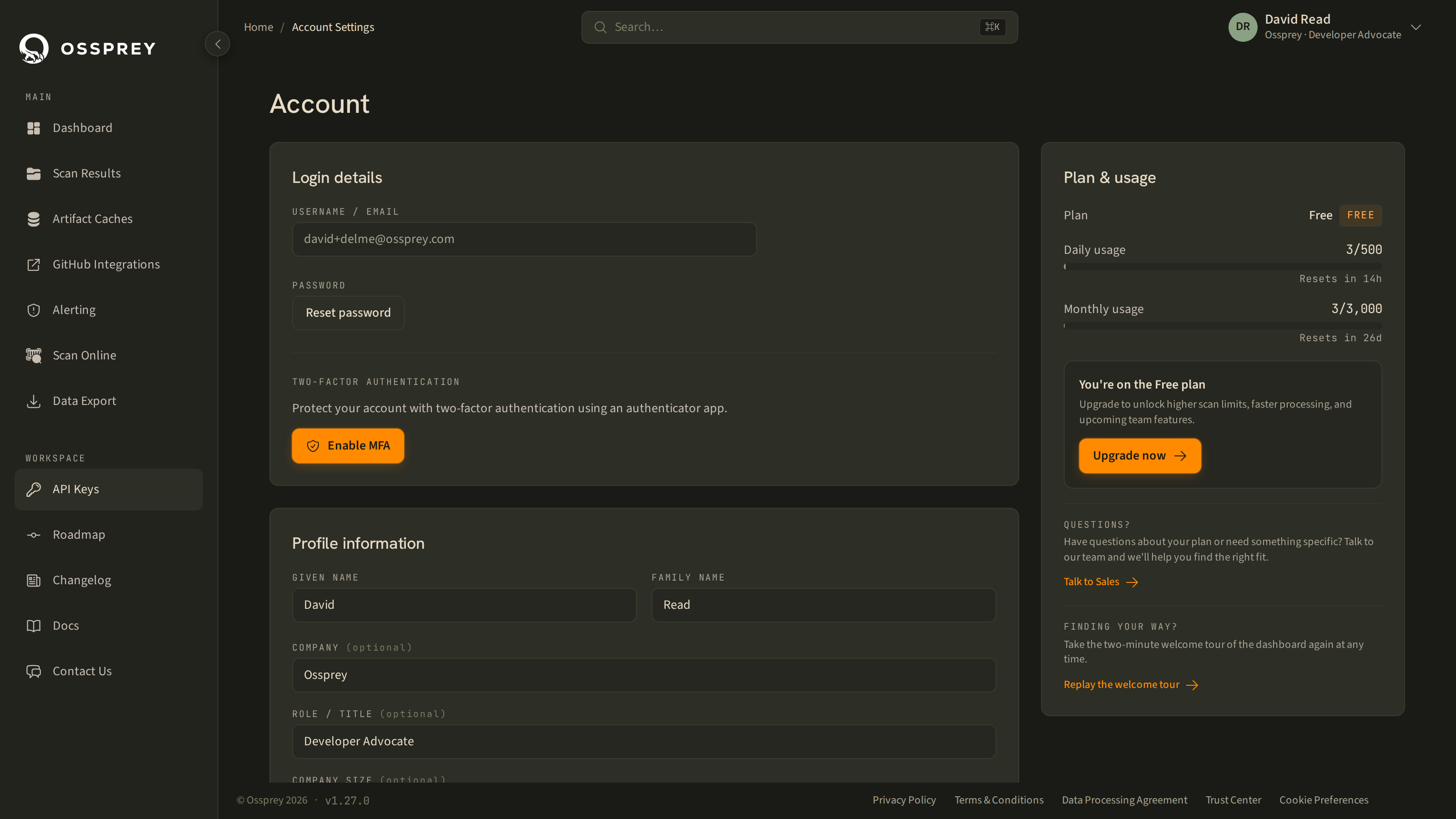
Update your personal and company details from the Account section. Your email address is linked to your authentication provider (Google, GitHub, etc.) and cannot be changed directly in Ossprey — update it with your identity provider or contact support.
Password management
If you signed up with email and password, you can reset your password from Account settings. If you use social login (Google or GitHub), your password is managed by that provider.
Multi-factor authentication
Ossprey supports MFA on your account directly, using an authenticator app. Enable or disable it from the Security section of Account settings.
- Enabling takes you through enrolment with your authenticator app.
- Disabling requires you to re-authenticate first, and takes effect on your next login.
If you sign in through Google or GitHub, you can use MFA at that provider as well — the two are independent, and enabling both is fine.
Usage and plan
Account settings show your current plan alongside your daily and monthly package quotas, how much you've used, and when each resets. Ossprey offers Free, Teams, and Enterprise tiers; the Billing page (reachable from Account settings) has the current limits and feature comparison, and is where you start an upgrade.
Two things about quota worth knowing:
- Exceeding it doesn't break your builds. The API skips the scan and returns a quota message; the CLI prints it and exits
0. Submissions via the API return429, and accepted submissions carryX-Quota-*headers so you can watch your headroom programmatically — see API and Development. - Packages Ossprey can resolve without a full analysis — a cache hit, or a result from its reputation filter — are not charged against your quota. They're reported separately as informational usage.
Communication preferences
Toggle whether you'd like to receive product updates, security advisories, and tips. Your preference can be changed at any time.
Deleting your account
Contact our support team at [email protected] to request account deletion. This is permanent and cannot be undone — all scan history and settings will be removed.
Security best practices
- Use a strong, unique password and enable multi-factor authentication
- Don't share your login credentials or API keys
- Log out when using shared computers
- Regularly review and rotate your API keys, and check the API key audit trail as part of access reviews
- Use the principle of least privilege — only grant Ossprey access to the repositories it needs to scan
- Monitor the dashboard for unexpected changes in your malware detection count
Updated about 1 month ago