
Data Export
Download your scans, findings, cache pulls, and API key audit trail as CSV for reporting and compliance.
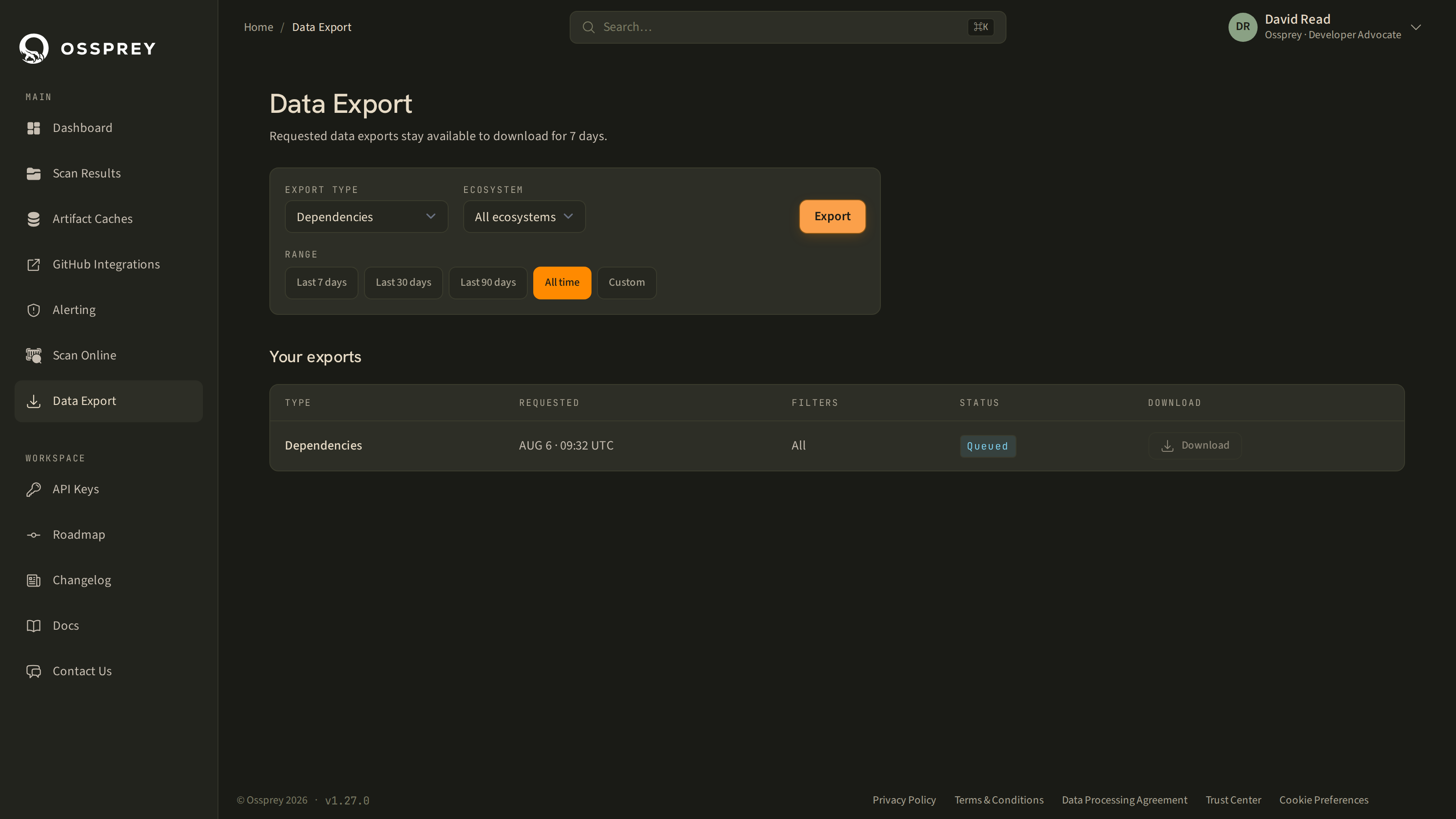
Data Export, reached from your Account settings, lets you pull your Ossprey data out as CSV — for offline analysis, board and compliance reporting, or loading into your own SIEM or data warehouse.
Exports run in the background: request one, and it appears in the list below the form. Larger accounts take a moment to build. Refresh or come back later; the row's status tells you where it's up to.
Export types
Dependencies
Every package across every scan, one row per package per scan.
scan, source, branch, scanned_at, package, version, purl, ecosystem, verdict, severity
This is the export to use for "what are we running, and what did Ossprey say about it" — dependency inventory, coverage reporting, and finding history.
Artifact Cache
Packages seen through your connected artifact caches, with their verdicts. See Artifact Caches.
cache, machine, ecosystem, package, version, purl, verdict, scanned_at
API Key Audit Log
The audit trail for your API keys — who created and deleted what, from where, and whether it succeeded.
timestamp, event, key_name, source_ip, actor, outcome, reason, key_id
Useful for access reviews and for evidencing key rotation to an auditor.
CodeArtifact Pull Log
Observed pulls through CodeArtifact, aggregated per package version and consumer.
package, version, ecosystem, purl, repository, consumer_role, consumer_session, observed_pulls, first_seen, last_seen
consumer_role and consumer_session identify who pulled a package — the IAM role, plus the role session name, which is often the only thing distinguishing individual engineers who share an SSO permission set.
observed_pullsis a lower boundIt counts pulls that reached CodeArtifact. A cache hit closer to the developer — a local npm cache, a warm CI layer — never reaches the registry and so isn't counted. Read the number as "at least this many".
Filters
Depending on the export type you can narrow by:
- Ecosystem — npm or PyPI
- Date range — last 7 days, last 30 days, last 90 days, all time, or a custom
from/topair
The applied filters are shown on each row in the export list, so you can tell two similar exports apart later.
Downloading
| Status | Meaning |
|---|---|
| Queued | Accepted, not started yet. |
| Processing | Being built. |
| Ready | Download it. |
| Failed | Something went wrong; the row carries the reason. Try again, and contact support if it recurs. |
| Expired | Past its download window. Create a new export. |
Click Download on a ready export and your browser fetches the file over a short-lived signed link.
Exports are available for 7 daysAfter that the file is deleted and the row shows Expired. Exports are a delivery mechanism, not an archive — if you need long-term retention, store the CSV in your own systems. This matters most for the CodeArtifact Pull Log, since the underlying pull records are only kept for 30 days.
Doing this from the API
Everything the dashboard can scan and read, the public API can too — including scan history and findings. If you want exports on a schedule rather than on demand, poll the scans endpoints and build the CSV yourself. See the API Quickstart.
Updated about 2 months ago